Website Not Generating Leads? A Guide for Manitoba Contractors
By Jagassar ·
Plenty of contractor websites get visitors and still don't get calls. Usually the problem isn't traffic. It's what happens after someone lands: they can't tell if you do what they need, where they are, or how to ask for a price. This guide covers the fixes that turn visits into quote requests.
Why your website gets traffic but no calls
Picture a homeowner in Steinbach searching for a basement waterproofing quote on their phone. They tap your site and see a big photo, a slogan and a menu. They have to guess where to go next. Most people won't guess. They'll go back and tap the next result.
The usual reasons a contractor website doesn't generate leads:
- One general "Services" page lists everything, so no page clearly answers the search.
- Nothing says which towns or neighbourhoods you serve.
- The phone number and quote button are hard to find on a phone.
- The quote form is long, confusing or broken.
- Ads send people to the home page instead of a page about what they searched for.
- No proof: no photos of real jobs, no reviews, no licences or warranties mentioned.
- Nobody knows which of these is the problem, because leads aren't being tracked.
One page per service
Give each main service its own page. A roofer might have separate pages for roof replacement, repairs, eavestroughs and inspections. Each page should answer what a customer wants to know before they ask for a price:
- What the service is and who it's for, in plain words.
- What's included, and the options to choose from.
- How the job works, from first call to cleanup.
- Photos of jobs you've actually done.
- Starting prices or what affects the price, if you're comfortable sharing it.
- A clear button to request a quote, near the top and again at the bottom.
Service pages also help search. A page about one thing has a much better chance of showing up for that thing than a page that mentions it in a list.
Pages for the areas you serve, done carefully
If you work across Winnipeg and the surrounding towns, say so on every service page, and consider a page for each main area where you do a lot of work.
Be careful here. Google's spam policies name "doorway" pages as abuse, including pages targeted at specific regions or cities that funnel users to one page. Copying the same page fifty times with a different town name is exactly that.
An area page earns its place when it has something real to say: jobs you've done there, local conditions that matter, how quickly you can get there, and reviews from customers in that area. If you have nothing specific to say about a town, list it on your service area page instead of giving it its own page.
Quote request forms people actually finish
Every question you add is one more reason to give up. Ask only what you need to call back and give a rough answer.
- Name, phone or email, town or postal code, the service they need, and a short description. That's often enough.
- Let people add photos if it helps you quote, but don't make it required.
- Ask how they prefer to be contacted, and when.
- Give every field a clear, visible label. Don't rely on grey text inside the box that disappears when they start typing.
- Make it work well on a phone: big tap targets and the right keyboard for phone numbers and email.
- After they send it, show a thank-you message that says what happens next and when you'll reply.
- Send the request somewhere it will be seen quickly, and test it every month.
Not everyone wants to fill in a form. Put a tap-to-call phone number on every page, too.
Match your Google Ads to your landing pages
A landing page is the page someone arrives on after clicking an ad. If your ad says "Furnace replacement in Winnipeg, free quotes" and the click lands on your home page, the visitor has to start looking all over again.
Google's own advice for advertisers is to choose a landing page that closely matches your ad and keywords, be clear about what you offer, put key information near the top, make it easy to contact you on a phone, and keep the page fast. Google also rates how relevant and useful your landing page is to people who click your ad. It calls this landing page experience.
In practice:
- Send each ad group to the service page it's about.
- Repeat the ad's promise in the page heading, using the same words.
- Put the quote button and phone number where people see them without scrolling.
- Remove distractions such as pop-ups and auto-playing videos.
Local SEO basics for Manitoba contractors
Local SEO means showing up when people nearby search for what you do, especially in the map results. Google says local results are mainly based on relevance (how well your listing matches the search), distance (how far you are from the searcher) and prominence (how well known your business is, including links and reviews).
Your Google Business Profile is the starting point. Our Google Business Profile checklist walks through setting it up properly, including how to list a service area instead of an address if you go to your customers.
On your website, back the profile up:
- Use the same business name, address and phone number as your profile, everywhere.
- Link your profile to the right page, such as your main service page, not just the home page.
- Ask every happy customer for a Google review, and reply to every review.
- Show real project photos with short descriptions of the job and the area.
- Get listed with suppliers, associations and local directories that genuinely know your work.
Track where your leads come from
Without tracking, you can't tell whether ads, search or word of mouth brought in last month's jobs. You only need a few things set up:
- Conversion tracking: Google Ads can count actions you choose, such as form sends and calls from your ads or to the number on your website.
- Campaign tags: small labels added to the end of links you share in ads, emails and social posts, called UTM parameters. Google Analytics then shows which source, channel and campaign each visit came from.
- A field in the form, or a question on the phone: "How did you hear about us?"
- A simple list of every lead, where it came from, and whether it became a job.
Look at it once a month. Spend more on what brings in jobs, not just clicks.
How we approached it for Vibes Energy
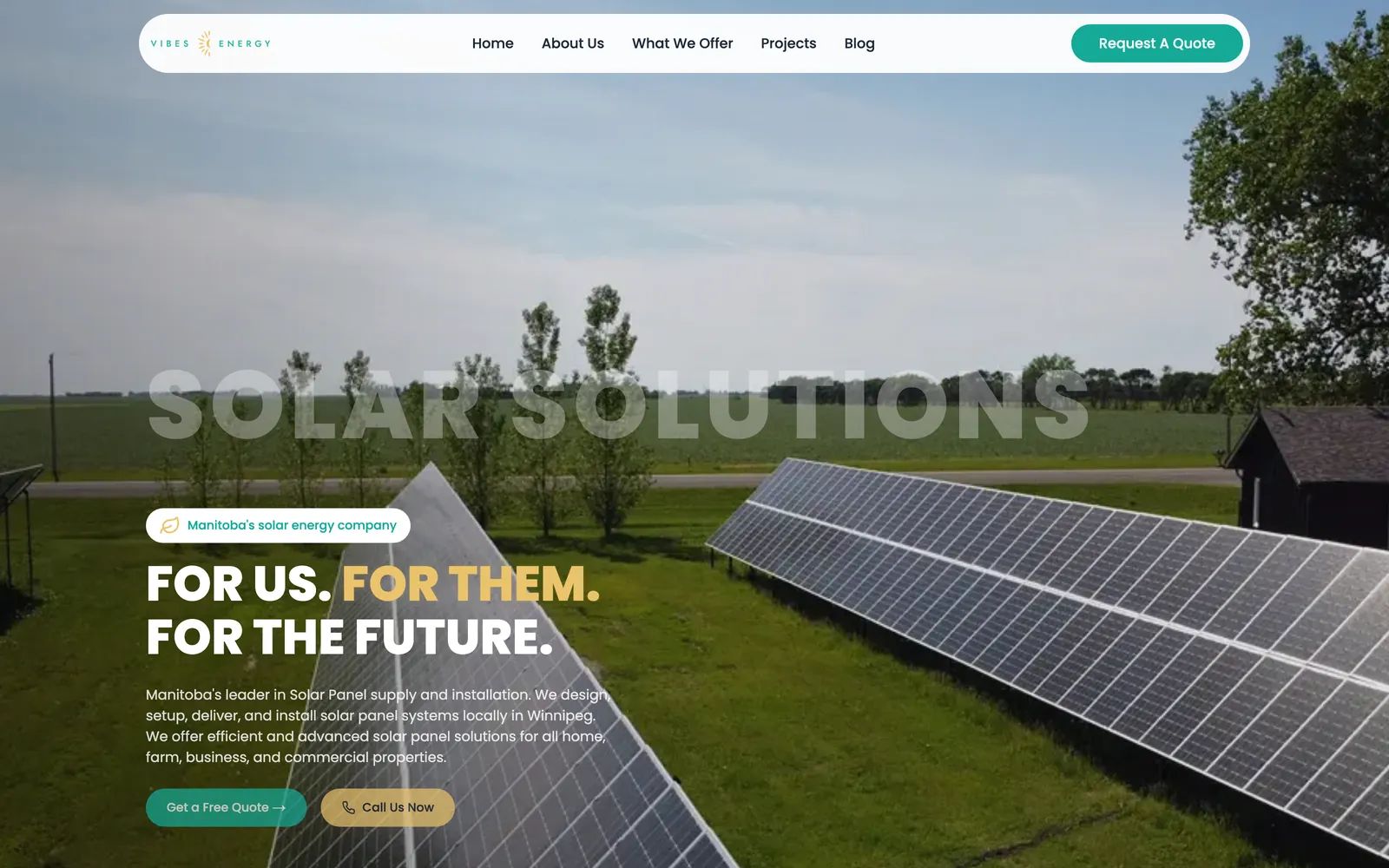
Vibes Energy sells and installs solar systems and EV chargers for homes, farms and businesses across Manitoba. They needed a site that explains each option simply and turns visitors into quote requests.
We built clear pages for residential, commercial and farm solar, grid-tie and off-grid systems, and EV charger installation, with starting prices where they have them. Every page has a free-quote request and tap-to-call. Projects and blog sections show real installs and answer common questions. We set up local search optimization so the business shows up when people in Winnipeg and Manitoba search for solar, and run Google Ads campaigns that bring new customers to the quote form. The site has been live since 2024, and we still look after it and run its search and ads.
Common questions
Why is my website not generating leads?
Most often the pages don't clearly match what people searched for, the phone number and quote button are hard to find on a phone, the form is too long, or ads send people to the home page. Tracking shows which one it is.
How many fields should a quote request form have?
As few as you need to call back and give a rough answer. Name, phone or email, location, the service and a short description is often enough. Make photo uploads optional.
Should my Google Ads go to my home page?
Usually not. Google recommends a landing page that closely matches your ad and keywords, so send each ad to the page about that service.
Should I make a page for every town I serve?
Only where you have something real to say about that area, such as local jobs and reviews. Google treats near-identical pages for different cities as doorway abuse.
How do I know which marketing brings in jobs?
Set up conversion tracking for form sends and calls, tag the links you share with UTM parameters, ask every lead how they found you, and record which leads became jobs.
Sources
- Google Ads Help: Landing page experience
- Google Ads Help: Optimize your landing pages
- Google Ads Help: About conversion tracking
- Google Analytics Help: URL builders and campaign parameters
- Google Business Profile Help: How Google determines local ranking
- Google Search Central: Spam policies (doorway abuse)
- W3C Web Accessibility Initiative: Labeling controls in forms
Want help with this?
See our web design services in Winnipeg.
More guides
- App vs Website for Small Business: What Do You Need? →
- How Much Does an App Cost in Canada? What Drives the Price →
- When to Replace Spreadsheets With Custom Software →
- Client Portal for Small Business: Do You Need One? →
- Website Cost in Winnipeg: What Changes the Price →
- Bilingual Website in Manitoba: Building an English/French Site →
- Manitoba Website Accessibility Requirements for Small Business →
- Funding a Website or Software in Manitoba: What's Open in 2026 →
- Booking Platform Commission vs Owning Your Booking System →
- Online Payments in Canada: Stripe vs Square vs Moneris vs Helcim →
- Moving Off WordPress Without Losing Your Google Rankings →
- Shopify or a Custom Online Store? How to Choose →
- What a Small Business Booking System Needs →
- Google Business Profile Checklist for Winnipeg Businesses →